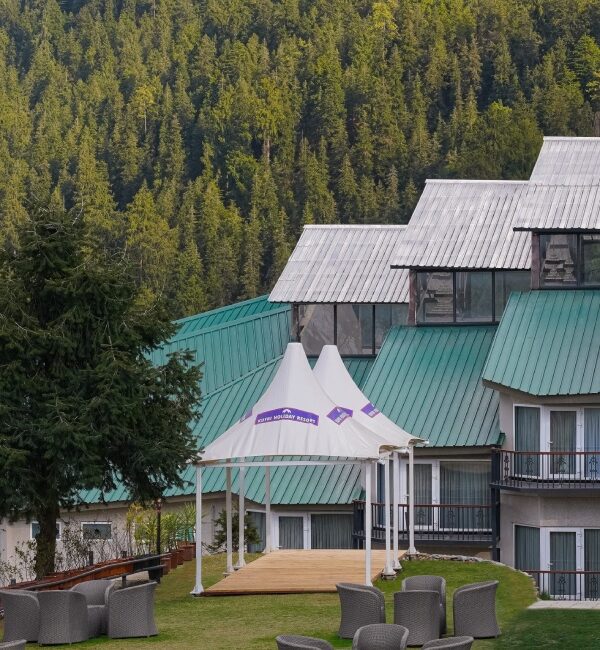
A workcation in Kufri can work only if the exact room and connection support your working day. Before booking a workcation resort in Himachal Pradesh, verify in-room internet, your video-call setup, power arrangements, desk space and cancellation flexibility. A listing that says “Wi-Fi” is not evidence of reliable upload speed or uninterrupted meetings.
Start with your work requirements
Write down what you must do: video meetings, file uploads, remote desktop access or mostly offline tasks. List the hours during which interruptions would be particularly difficult. Then ask the property about your intended room category and those hours. A connection tested in reception may not represent the room in which you will work.
Compare accommodation using our guide to choosing a resort in Kufri. Treat views and leisure facilities as secondary to the requirements you cannot compromise on. This guide does not certify any property’s internet performance.
Request a recent connection check from the room
- Ask whether Wi-Fi reaches the quoted room category.
- Request a recent download, upload and latency test, with the room or area identified.
- Ask whether the network is shared and whether performance changes when occupancy increases.
- Check whether the login expires, limits devices or requires repeated sign-in.
- Ask about an alternative working area if the room connection is unsuitable.
- Confirm whether technical help is available and what happens if the connection fails.
A speed test is a snapshot, not a guarantee. If meetings are critical, ask whether you can assess the connection on arrival and what flexibility the booking terms allow if the room does not meet an explicitly agreed requirement. Do not assume that a refund will be available.
Check your actual applications, not only a speed number
Before committing to a long stay, consider testing a short stay with your real meeting software and file-transfer workflow. Use a non-sensitive test call or file. Check audio stability, camera quality and whether reconnecting is straightforward. Your employer’s VPN or security requirements may affect what networks you can use; follow those requirements.
Do not send business credentials or confidential files to a hotel to demonstrate your needs. Describe the technical requirement instead. If you rely on a mobile hotspot as a backup, verify reception for your own operator in the exact room. A general statement about network coverage is insufficient.
Confirm power, desk and privacy separately
Ask whether power backup covers room sockets, internet equipment or only selected common facilities. Check the desk or usable table, chair, socket position and lighting. If you need private calls, ask about room location and potential noise from events or shared areas. A meeting room may require a separate reservation and payment.
Review room categories and ask for a current photo of the workspace in the proposed category. A spacious room does not necessarily contain an appropriate desk, and a common lounge may not be suitable for confidential conversations.
Build a work-first daily plan
Keep arrival and transfer days free of critical meetings where possible. Reserve your work hours first, then place sightseeing around them. An ambitious excursion between calls can create avoidable stress if the return takes longer than expected. On your first day, set up the laptop, check the connection and identify a fallback before scheduling an outing.
For travellers arriving by rail, our Chandigarh–Kalka–Shimla train planning guide explains the separate journey legs. Confirm your onward hotel transfer and arrival arrangements independently of the train booking.
Request a quote that matches the work stay
“I am considering [dates] for a workcation, with [guests]. I need video meetings during [hours], in-room internet, a usable desk and [other requirements]. Please identify the room category, share a recent connection test from that area, explain power and internet backup, and confirm any working-space charges. Please also quote the final stay total, meal options and cancellation/date-change terms.”
Is advertised Wi-Fi enough to book a workcation?
No. Verify room coverage and suitability for your actual workload. Availability of Wi-Fi and suitability for uninterrupted work are different questions.
Should you book a long stay immediately?
If you cannot verify essential requirements remotely, a shorter trial with suitable booking terms may be a more practical choice. Do not assume an extended-stay discount or minimum-stay rule.
Send Kufri Heritage Resort your workcation requirements. Include your stay dates, meeting hours and essential room requirements before booking.